
Daydream Basics
Should You Skip the iPhone's Processing? Chromagraph, Halide and More

Shane Labelle
· 8 min read
Short answer: skipping the iPhone's processing gives you a more natural, less processed photo, but costs you clean low light and finished results. For most everyday photos, a hybrid gets you the best of both: keep the iPhone's clean capture and develop the look like film. That's Daydream Film, our app. If you edit RAW files yourself or shoot mostly in good light, skipping can be the better choice, and we compare the apps that do it below.
Our pick for most people
Keep the clean capture, develop it like film
Daydream Film
Best for a real film look on any photo, including old ones, without the noise of an unprocessed capture.
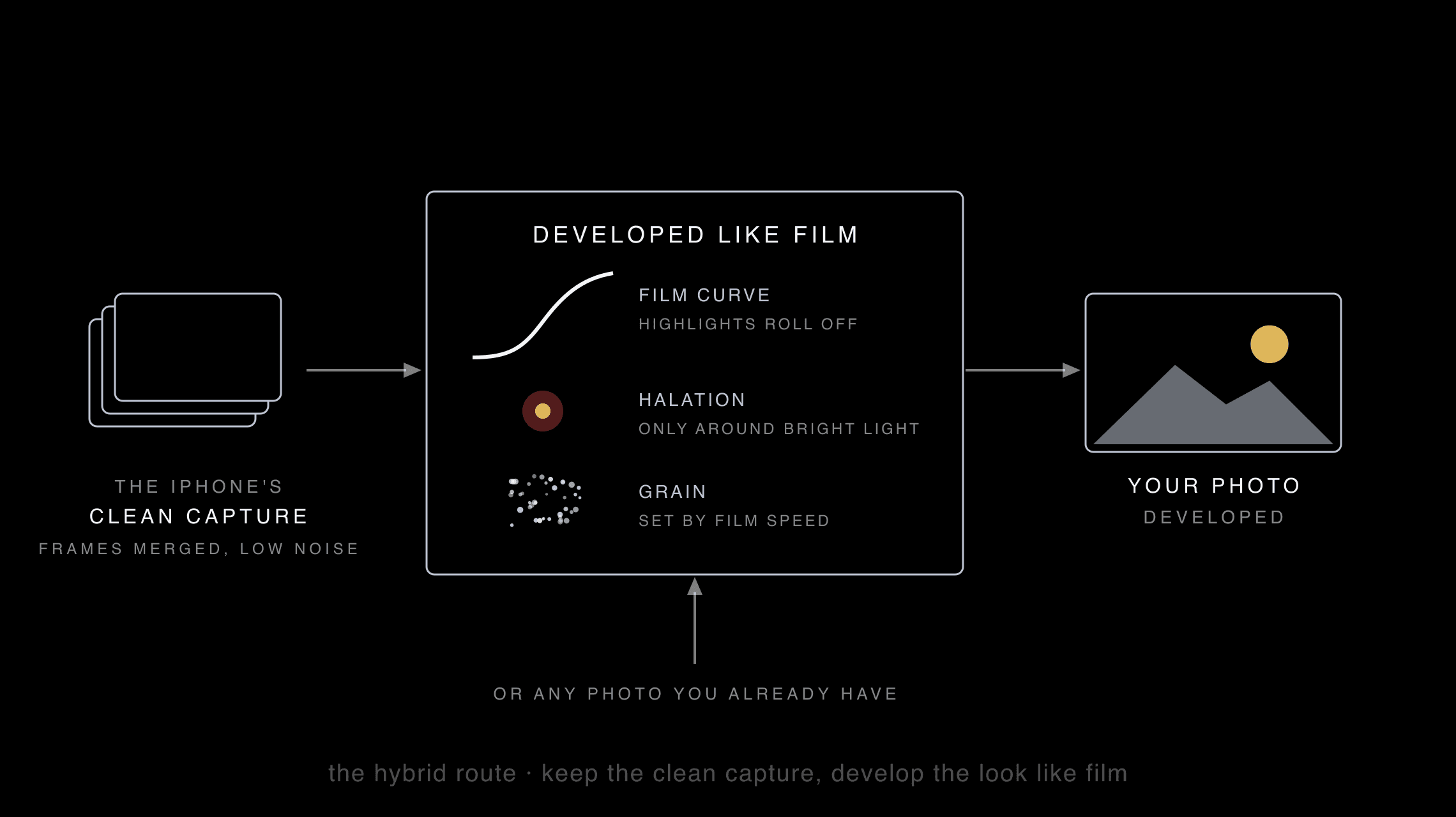
Skipping the iPhone's processing throws out the good with the bad. Daydream Film, our app, keeps the good part, the frame merging that keeps photos clean when the light drops, and replaces the look: it develops each photo the way film would have reacted to its light.
You get soft highlights, halation around bright lights and real grain, without muddy, noisy night shots. And because it develops rather than captures, it works on the photos you already have, too. It's free while it's in beta. How Daydream works
In the news
Chromagraph: Rian Johnson and Steve Yedlin's camera app
Chromagraph Camera is the iPhone camera app director Rian Johnson asked his longtime cinematographer, Steve Yedlin, to build, with color science programmer Eric Cameron. It launched in October 2026 and reached No. 1 on the US App Store's paid chart within days.
It shoots RAW, skips the iPhone's look processing and gives every photo the color and texture Yedlin designed for the Knives Out films. You see the look after you shoot, and can adjust color, tone and texture, including grain and halation, within it. It costs $12.99 once, takes stills only and runs on iPhone only. Chromagraph on the App Store
Is it worth it? If you love how Rian Johnson's films look and want that one look straight out of the camera, yes. It's a beautiful, opinionated look. If you want more than one look, cleaner night photos, or the film look on photos you already have, the hybrid route above suits you better.
The background
What the iPhone does to every photo
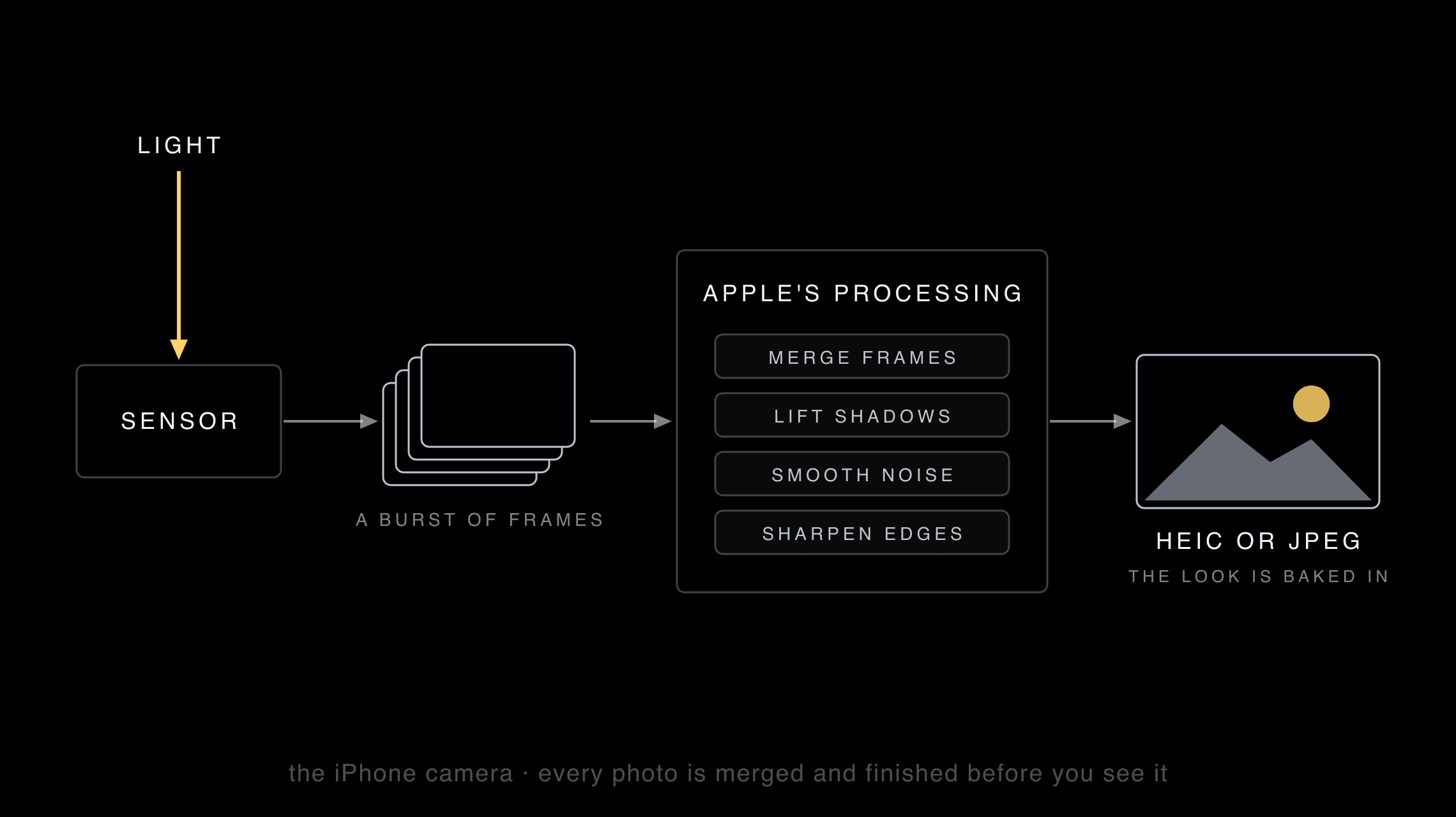
When you press the shutter, the iPhone takes several frames at once, merges them, brightens the shadows, smooths the noise and sharpens the edges. It's very clever, and it's why phone photos look clean in almost any light.
It's also why they can look flat and a little artificial: shadows lifted too far, skin smoothed, every edge crisp. When Chromagraph launched in October 2026 promising to bypass all of that, a lot of people asked what it actually means, and whether it's worth it.
The files
RAW, ProRAW and HEIC: what each one keeps
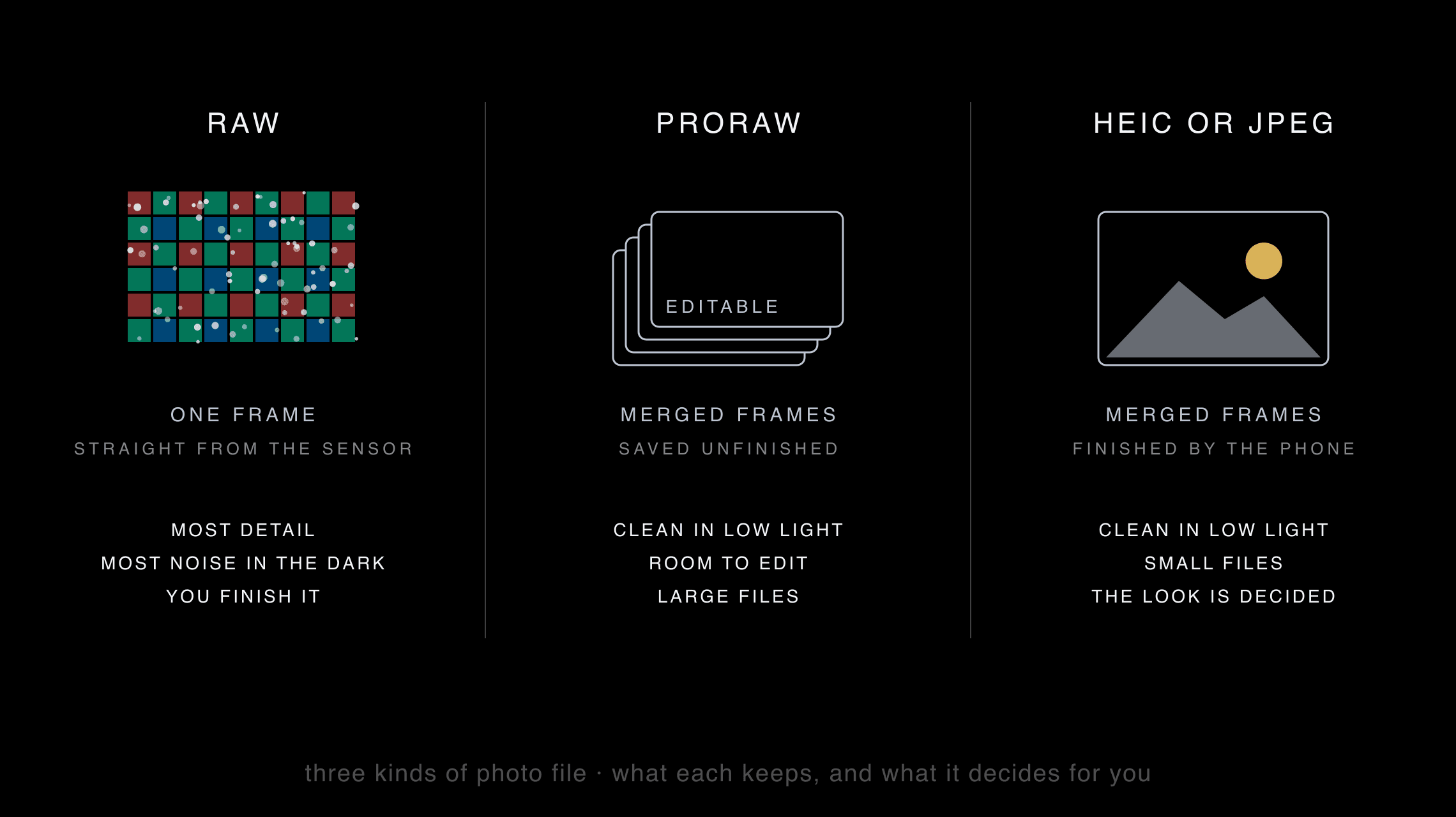
Every route starts with a choice of file, and each file decides something for you.
- RAW is one frame straight from the sensor. It holds the most detail and the most room to edit, but it shows every bit of noise in the dark, and you have to finish it.
- ProRAW, on Pro iPhones, is Apple's merged frames saved unfinished. It stays clean and editable, but it's still Apple's processing, and the files are large.
- HEIC or JPEG is the finished photo: merged, cleaned and toned by the phone. Small and clean, with the look already decided. Daydream's camera saves HEIC, then develops it like film.
Pros
What you gain by skipping it
- Softer highlights. Bright skies and lamps fade instead of clipping to white.
- Deeper shadows. Dark areas stay dark instead of being lifted flat.
- No over-sharpening. Skin, foliage and fabric keep their natural texture.
- More room to edit. A RAW file holds more than a finished photo, if you like to edit.
Cons
What you give up
- Noisy nights. Without the frame merging and noise smoothing, low-light photos come out grainier and softer.
- More misses in tricky light. One frame can't hold a bright window and a dark room as well as several merged frames can.
- Work, or one look. You either edit every photo yourself or accept the one look your app gives it.
- Bigger files. RAW files take far more space than HEIC.
Why the hybrid
Why it suits most people
Most of the pros above are about the look: softer highlights, deeper shadows, texture. Most of the cons are about the capture: noise, misses and work. A hybrid keeps the clean capture and changes the look, so it keeps most of the pros and drops most of the cons.
That's what Daydream Film does. Its film curve rolls the highlights off softly, each film sets its own color and contrast, and grain comes from the film speed you pick, not from a noisy sensor. The film curve, explained
To be fair
When skipping is the better choice
- You edit RAW files yourself and want the most untouched starting point: Halide's Process Zero.
- You shoot mostly in good light, where noise isn't a problem.
- You love one particular look and want it straight out of the camera: Chromagraph.
- You want clean low light with a natural look, for free: Project Indigo, which replaces Apple's processing with its own.
Compared
The six apps at a glance
Daydream Film, our pick for most people, and five camera apps that get around the iPhone's processing, each in its own way.
| App | Instead of Apple's processing | The look | Price |
|---|---|---|---|
 Daydream FilmOur app Daydream FilmOur app | Hybrid: keeps the iPhone's clean capture, then develops it like film | Four films: Daydream, Nightcall, Noir and Nostalgia | Free beta; launch price not set |
 Chromagraph Camera Chromagraph Camera | Skips it: shoots RAW and builds its own image | One look, from Yedlin's films | $12.99 once |
 Halide Mark III Halide Mark III | Skips it: Process Zero shoots without Apple's computational photography | Natural, plus optional Looks made with colorist Cullen Kelly | $19.99 a year or $69.99 once, after a 7-day trial |
 Project Indigo Project Indigo | Replaces it: merges a burst of frames with its own computational pipeline | Natural, SLR-like | Free |
 No Fusion No Fusion | Skips the over-sharpening for natural photos | Natural, plus built-in film recipes | Free; Pro by subscription or $29.99 once |
 Moment Pro Camera II Moment Pro Camera II | Lets you turn the processing and HDR down | Your choice of Looks, or your own LUTs | $9.99 |
The other five apps from their US App Store listings, checked October 29, 2026. Prices change; check each listing before you buy.
One by one
What each app is best for
 Daydream FilmOur app
Best for a real film look on any photo, including old ones, without the noise of an unprocessed capture.
Our app, and the hybrid route. It keeps the part of the iPhone's processing that helps, the frame merging that keeps photos clean in low light, then develops the photo the way film would: highlights that roll off softly, halation only around bright lights, grain that follows film speed. Because it develops rather than captures, it works on photos you already have, too.
By Daydream, our app. Free beta; launch price not set. How Daydream works
 Chromagraph Camera
Best for one beautiful, cinematic look with no decisions, if you love how Rian Johnson's films look.
The camera app director Rian Johnson asked his cinematographer Steve Yedlin to build, with color science programmer Eric Cameron, launched in October 2026. It shoots RAW, skips the iPhone's look processing and gives every photo the color and texture Yedlin designed for the Knives Out films. You see the look after you shoot, and adjust color, tone and texture, including grain and halation, within that look. Stills only, iPhone only.
By Rian Johnson, Steve Yedlin and Eric Cameron. $12.99 once. App Store listing
 Halide Mark III
Best for the most natural, untouched photo, with manual controls and room to edit.
A pro camera with full manual controls. Its Process Zero mode shoots without Apple's computational photography or AI, for natural, film-like results, and its Looks were developed with Hollywood colorist Cullen Kelly. It can also open RAW files from Apple's camera and from Canon, Nikon, Sony, Fujifilm, Leica and Hasselblad cameras.
By Lux Optics. $19.99 a year or $69.99 once, after a 7-day trial. App Store listing
 Project Indigo
Best for clean, natural photos in low light, for free.
Adobe's experimental camera. Instead of Apple's processing, it captures a burst of photos for every shutter press and merges them for lower noise and more dynamic range, with a natural, SLR-like look and manual controls. Night mode lets you choose how many frames to merge. It needs an iPhone 12 or 13 Pro, or any iPhone 14 or later.
By Adobe Labs. Free. App Store listing
 No Fusion
Best for natural photos with film recipes, while keeping Live Photos.
A camera that removes the iPhone's over-sharpening for more natural photos, with built-in film recipes, a manual mode, and Live Photos and Portrait mode in any format.
By Raster Field. Free; Pro by subscription or $29.99 once. App Store listing
 Moment Pro Camera II
Best for pro controls for photos and video in one app.
A pro camera for photos and video that lets you control how much processing and HDR go into each photo, and shoot RAW, ProRAW, TIFF, HEIF or JPG. Looks and your own LUTs preview live, and the video tools go as far as Apple Log and ProRes.
By Moment. $9.99. App Store listing
Which to pick
Which one should you pick?
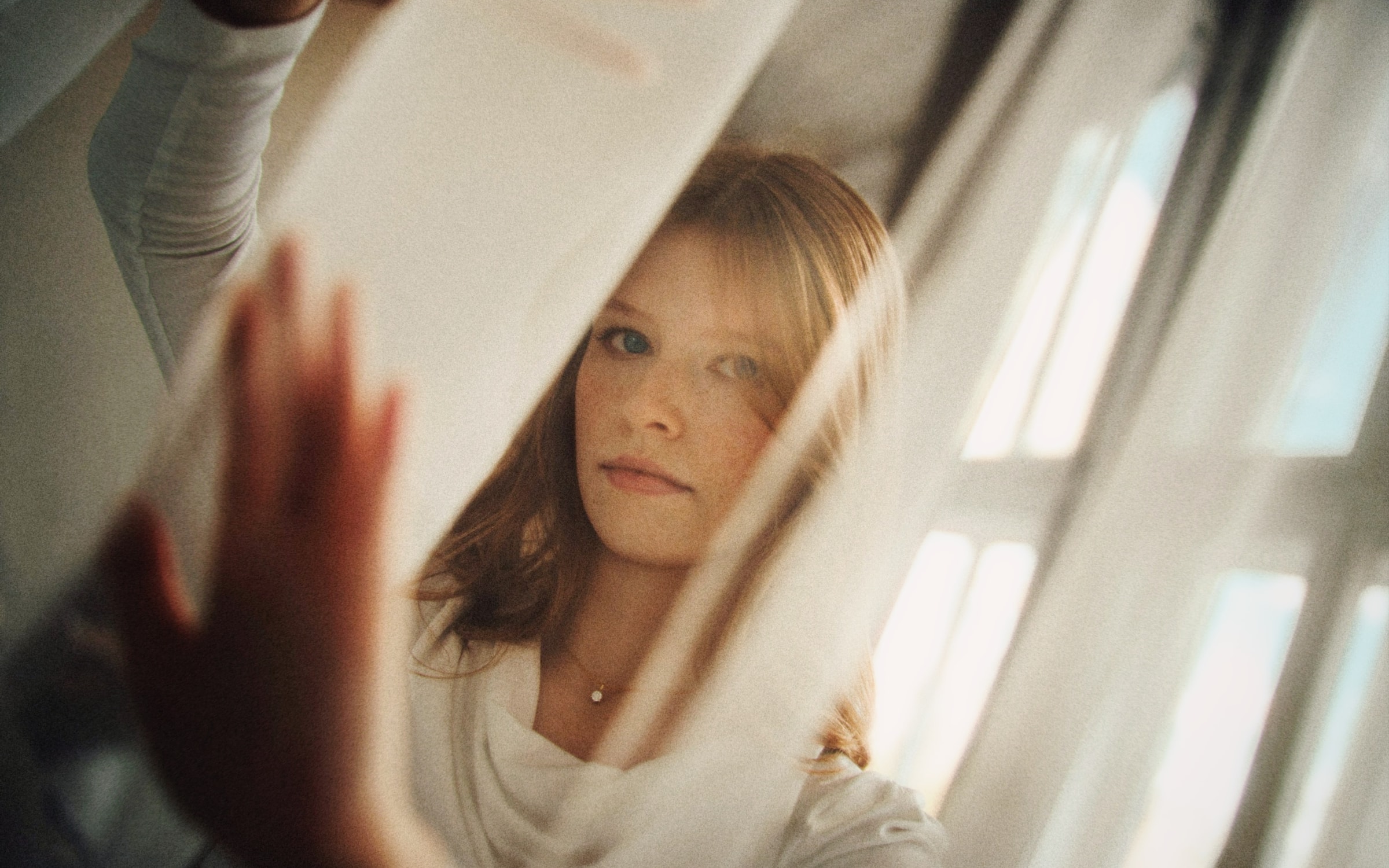
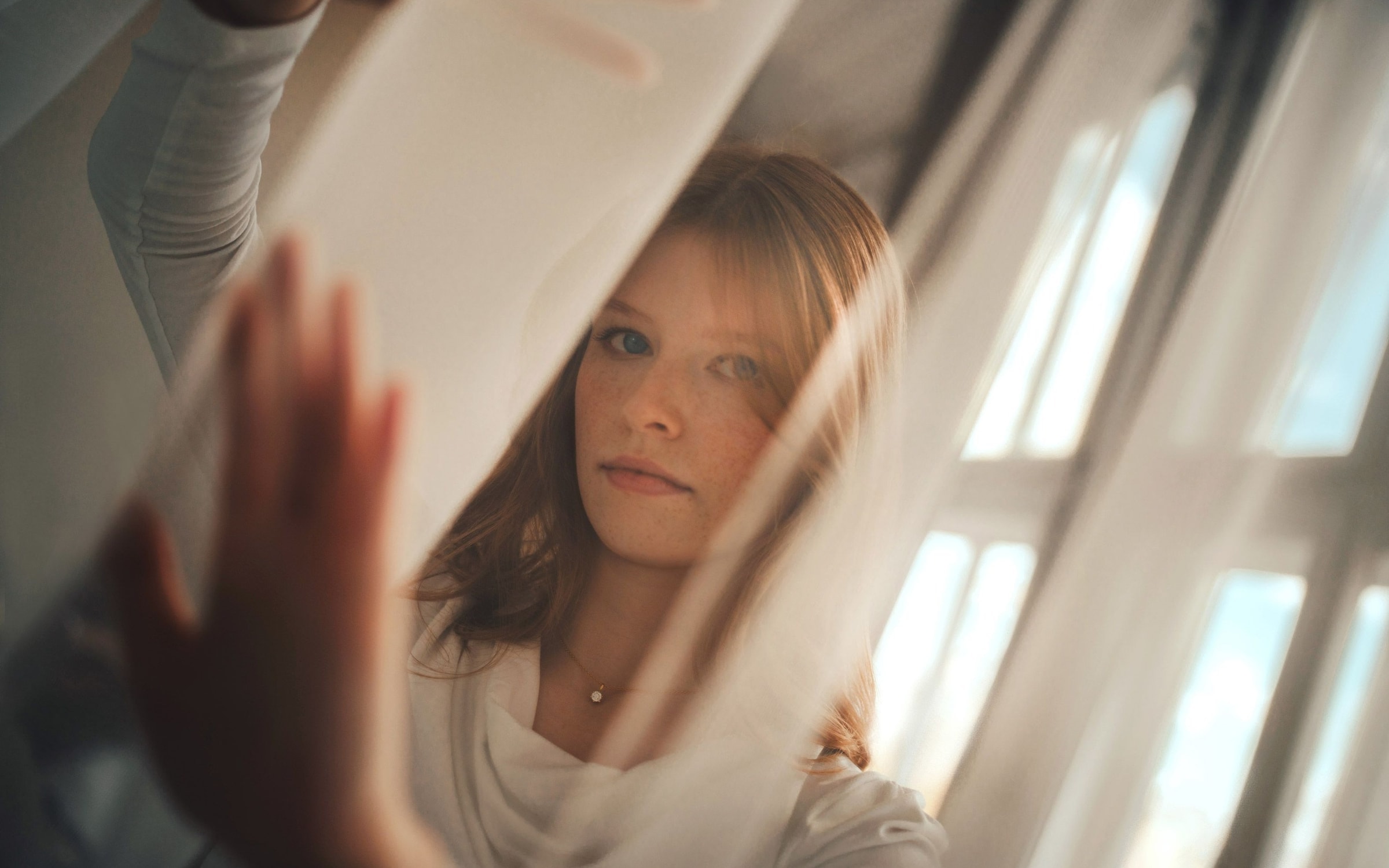
- A film look on any photo, clean in low light, with films to pick from: Daydream Film. The photo below uses its Nostalgia film. Which film should I pick?
- One finished, cinematic look: Chromagraph Camera.
- The most natural photo and full control: Halide's Process Zero.
- Clean low light, for free: Project Indigo.
- Natural photos that keep Live Photos: No Fusion.
- Pro controls for video too: Moment Pro Camera II.
FAQ
Questions
Should I skip the iPhone's processing?
For most everyday photos, no: you lose the clean low light the iPhone gives you, and you'll need to edit to get a finished photo. Skip it if you edit RAW files yourself, shoot mostly in good light, or want the most untouched file you can get. For the film look without the noise, keep the clean capture and develop it like film.
What's the difference between RAW, ProRAW and HEIC?
RAW is one frame straight from the sensor: the most detail, the most noise in the dark, and you finish it yourself. ProRAW is Apple's merged frames saved unfinished, so it stays clean and editable but makes large files. HEIC and JPEG are finished by the phone: small and clean, with the look already decided.
Can I turn off processing in the iPhone's own Camera app?
Not fully. Pro iPhones can shoot ProRAW, which keeps far more detail for editing, but ProRAW is still built from Apple's multi-frame processing. To skip that processing, you need a camera app that captures the image its own way.
Does Daydream Film skip the iPhone's processing?
No, and on purpose. Daydream Film keeps the part of the iPhone's processing that helps most, the frame merging that keeps photos clean in low light, and then develops the photo the way film would. That's why it works on photos you already have, and why its night photos aren't noisy: any grain is film grain, at the film speed you pick.
What is Chromagraph?
Chromagraph Camera is the $12.99 iPhone camera app from director Rian Johnson, cinematographer Steve Yedlin and color science programmer Eric Cameron. It shoots RAW, skips the iPhone's processing and gives every photo the look Yedlin designed for the Knives Out films.
Chromagraph or Halide?
Chromagraph gives every photo one finished, cinematic look with very few decisions. Halide's Process Zero gives you a natural, untouched photo, full manual controls and the option of its own Looks. Pick Chromagraph for a look, Halide for control.
Which of these apps is free?
Project Indigo is free. No Fusion is free to use, with Pro by subscription or a one-time purchase. Daydream Film is free while it's in beta. As listed on October 29, 2026.
How we wrote this
Daydream Film is our app and our pick, and we say plainly where it differs: it doesn't skip the iPhone's processing, it builds on it. For every other app we stuck to the facts in its own US App Store listing, checked October 29, 2026, plus Chromagraph makers' public launch posts. Nobody paid to be on this page.
Looking for film looks rather than less processing? Best film camera apps for iPhone