
Optics
Artifact ID
An artifact ID is a short label printed on a photo, like a roll number or a series name, after the numbers labs stamped on film sleeves and contact sheets.
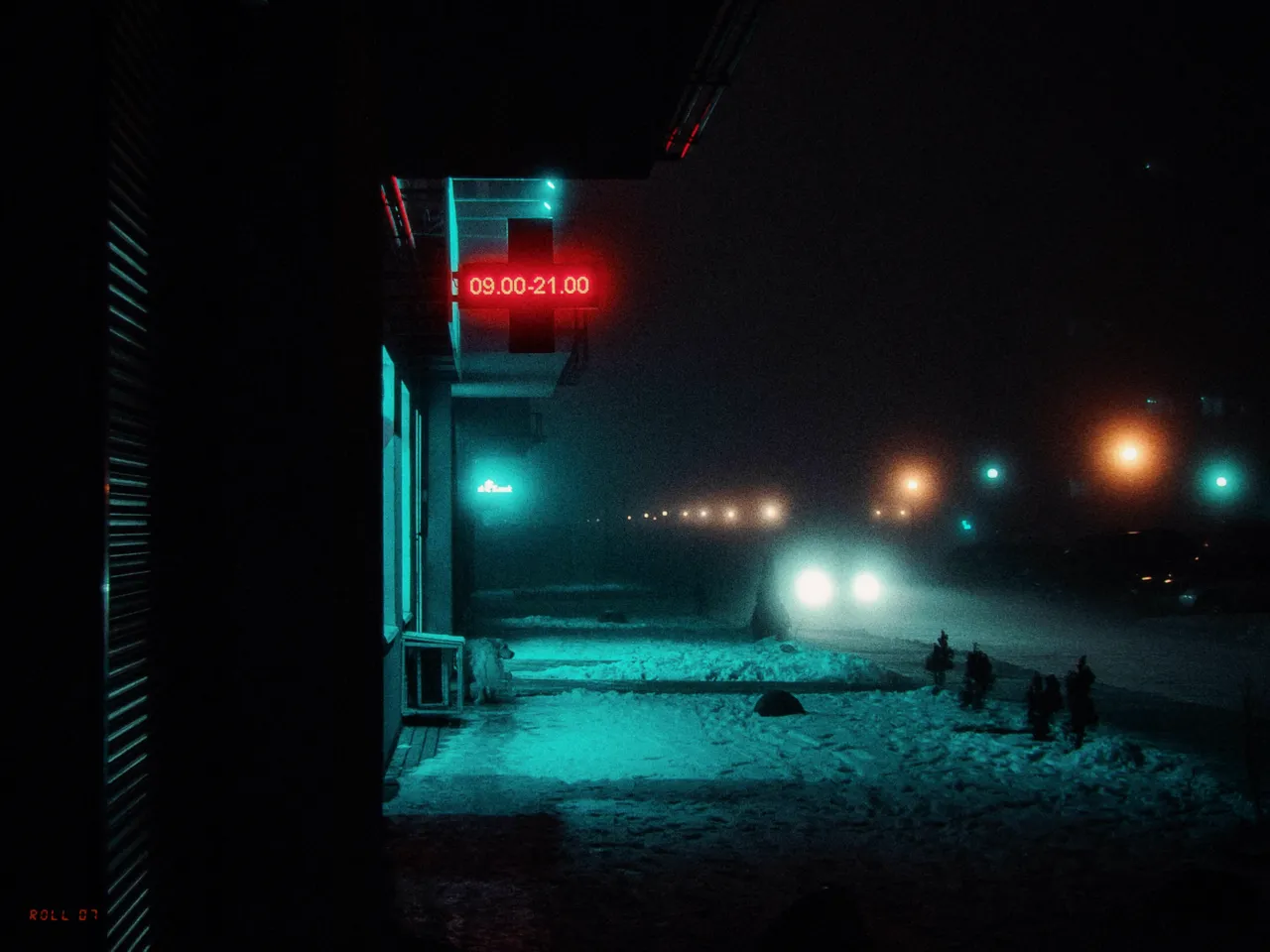
Off and on are both real Daydream Film renders. Nothing else changes.
Why it happens
Why did labs number every roll?
Labs stamped roll numbers on sleeves and contact sheets so no frame lost its family.
In Daydream
Stamps a customizable text label onto your image — like a roll number, series name, or personal identifier. Inspired by the edge markings found on processed film strips.
Up close
What does artifact ID do to a photo?
A tight crop from the full-size render. Left is off, right is on. Drag the line to compare.
What changes
- Adds a small text label in the chosen corner
- Can be oriented horizontally or vertically
- Labels up to 12 characters
The controls
How do you adjust artifact ID?
The switch above turns artifact ID on and off. Label: ROLL 07, Position: Bottom Left and Orientation: Horizontal stayed fixed for every render.
| Control | Range | What it does |
|---|---|---|
| Label | Up to 12 characters | Custom text (e.g. ‘001’, ‘NYC’, your initials) |
| Position | Top Left / Top Right / Bottom Left / Bottom Right | Corner placement |
| Orientation | Horizontal / Vertical | Text direction |
Base for every render: the Daydream preset at its defaults.
When to reach for it
When should you use artifact ID?
Use it to brand a series or add roll numbers for an authentic contact sheet feel.
Best for
- Series identification
- Film edge markings
- Personal branding
Name the roll.
Join the iOS Beta
Try artifact ID on your own photos. Join the iOS beta and shoot with Daydream Film.